I. Introduction
In today’s digital age, having a professional website design is no longer a luxury—it’s a necessity for businesses of all sizes. Your website is often the first point of contact between your company and potential customers, making it a crucial element of your overall marketing strategy. However, for many small business owners and entrepreneurs in London, the prospect of getting a website designed can be daunting, particularly when it comes to cost.
If you’re looking to get your website done for less or searching for the cheapest website pricing in London, you’re not alone. The good news is that in 2025, there are more options than ever for creating a professional online presence without breaking the bank. Whether you’re considering building a website yourself, hiring a freelance web designer, or working with a web design agency, this guide will help you navigate the process of getting your website made cheaper and more affordably.
In this comprehensive article, we’ll explore:
- The current landscape of website design costs in London
- Various options for creating a website on different budgets
- The website design process and what to expect
- Tips for keeping costs down without sacrificing quality
- How to choose the right web design solution for your needs
By the end of this guide, you’ll have a clear understanding of how to obtain the cheapest website pricing in London while still ensuring a professional and effective online presence for your business.
II. Understanding Website Design Costs in London
When it comes to getting your website done in London, prices can vary significantly depending on your needs and the approach you choose. As of 2025, website design costs in the UK’s capital city range from budget-friendly options to high-end, bespoke solutions. Let’s break down the costs to help you understand what to expect:
Range of Costs for Different Types of Websites
- Basic Brochure Websites:
- DIY options using website builders: £0 – £320 per month
- Professional design: £500 – £2,500
- Typical cost for a 4-5 page site: £500 – £1,500 per year (including some support and maintenance)
- Custom Brochure Websites:
- Professional design: £2,500 – £10,000
- Freelance developers: £960 – £1,500 for a basic website
- E-commerce Websites:
- Small to medium-sized businesses: £2,000 – £15,500 for professional build
- Using e-commerce platforms: £0 – £320 per month
- Complex, Custom Websites:
- Bespoke designs with advanced features: £10,000 – £50,000+
It’s important to note that these prices are averages, and you may find options both above and below these ranges.
Factors Affecting Website Design Pricing
Several factors contribute to the wide range of website design costs in London:
- Scope and Complexity: The number of pages, custom features, and integrations required will significantly impact the price.
- Design Quality: Unique, high-end designs typically cost more than template-based solutions.
- Functionality: E-commerce capabilities, booking systems, or custom applications will increase the overall cost.
- Content Creation: Professional copywriting and photography can add £500 – £2,000 to your budget.
- Experience of the Designer/Agency: More experienced professionals and established agencies generally charge higher rates.
- Location: London-based designers often charge more than those in other parts of the UK due to higher operating costs.
- Ongoing Costs: Don’t forget to factor in expenses like:
- Domain registration: £5.99 – £9.99 per year
- Hosting: £50 – £300 per year for small sites
- SSL Certificate: Often included in hosting, but can cost up to £50 per year
- Maintenance and updates: Varies widely, but budget for at least a few hours per month
- SEO Services: If you want ongoing SEO support, costs can range from £60 – £200 per month for freelancers to £1,500+ for larger agencies.
Understanding Value vs. Cost
While it’s tempting to opt for the cheapest option available, it’s crucial to consider the value you’re getting for your investment. A well-designed website can significantly impact your business’s success, potentially bringing in new customers and increasing revenue. On the other hand, a poorly designed site might save you money upfront but could cost you in lost business opportunities.
For instance, the average transaction value for a recruitment agency in the UK is £2,000. If your website isn’t effective, you could be losing out on valuable clients. This perspective can help you balance the initial cost of web design against the potential return on investment.
III. Options for Getting Your Website Done for Less
When it comes to creating a website on a budget in London, you have several options to choose from. Each has its own set of pros and cons, and the best choice for you will depend on your specific needs, technical skills, and budget. Let’s explore these options:
1. DIY Website Builders
DIY website builders are platforms that allow you to create a website without coding knowledge. They’re often the cheapest option upfront.
Pros:
- Low cost: Many offer free plans or low monthly fees (£0 – £35/month)
- User-friendly interfaces with drag-and-drop editors
- Quick to set up: You can have a basic site running in a few hours
Cons:
- Limited customization options
- May lack advanced features
- Can be time-consuming if you’re not tech-savvy
- Potential SEO limitations
Popular options in 2025 include:
- Wix: £9 – £25/month
- Squarespace: £12 – £35/month
- GoDaddy: £7.99 – £13.99/month
2. Freelance Web Designers
Hiring a freelance web designer can be a cost-effective way to get a more personalized website.
Pros:
- More affordable than agencies (typically £30 – £60 per hour)
- Direct communication with the designer
- Potential for a more custom design than DIY builders
Cons:
- Quality can vary significantly
- May lack comprehensive skills (e.g., might be strong in design but weak in development)
- Potential for project delays if the freelancer is juggling multiple clients
Typical costs:
- Basic websites: £960 – £1,500
- More complex sites: Can range up to £5,000 or more
3. Small Design Agencies
Small design agencies (typically 2-10 staff) offer a middle ground between freelancers and large agencies.
Pros:
- More comprehensive skill set than most freelancers
- Often more affordable than large agencies
- Personal attention to your project
Cons:
- May have less capacity for very large or complex projects
- Potentially longer turnaround times than larger agencies
Typical costs:
- Small bespoke websites: £3,000 – £5,000
- E-commerce sites: Starting from £5,000
4. Larger Web Design Companies
While often more expensive, larger agencies can offer comprehensive services and handle complex projects.
Pros:
- Full-service offerings (design, development, SEO, marketing)
- Capacity for large and complex projects
- Established processes and project management
Cons:
- Generally the most expensive option
- May not provide as much personal attention as smaller agencies or freelancers
Typical costs:
- Basic websites: Starting from £8,000
- Complex or e-commerce sites: £15,000 – £50,000+
5. Hybrid Approach: WordPress Themes with Professional Customization
This approach involves using a pre-built WordPress theme and having a professional customize it for you.
Pros:
- More affordable than fully custom designs
- Faster development time
- Benefit from professional expertise
Cons:
- Less unique than a fully custom design
- May have some limitations compared to bespoke development
Typical costs:
- £800 – £1,500 for theme customization by experts
When choosing an option, consider not just the upfront costs, but also the long-term value and potential return on investment. A slightly higher initial investment might pay off in terms of better functionality, user experience, and ultimately, more business generated through your website.
IV. The Website Design Process Explained
Understanding the website design process can help you set realistic expectations and ensure a smoother experience, regardless of which option you choose. Here’s a typical workflow:
- Initial Consultation and Planning:
- Discuss your business goals, target audience, and website requirements
- Define the scope of the project
- Establish a timeline and budget
- Design Phase:
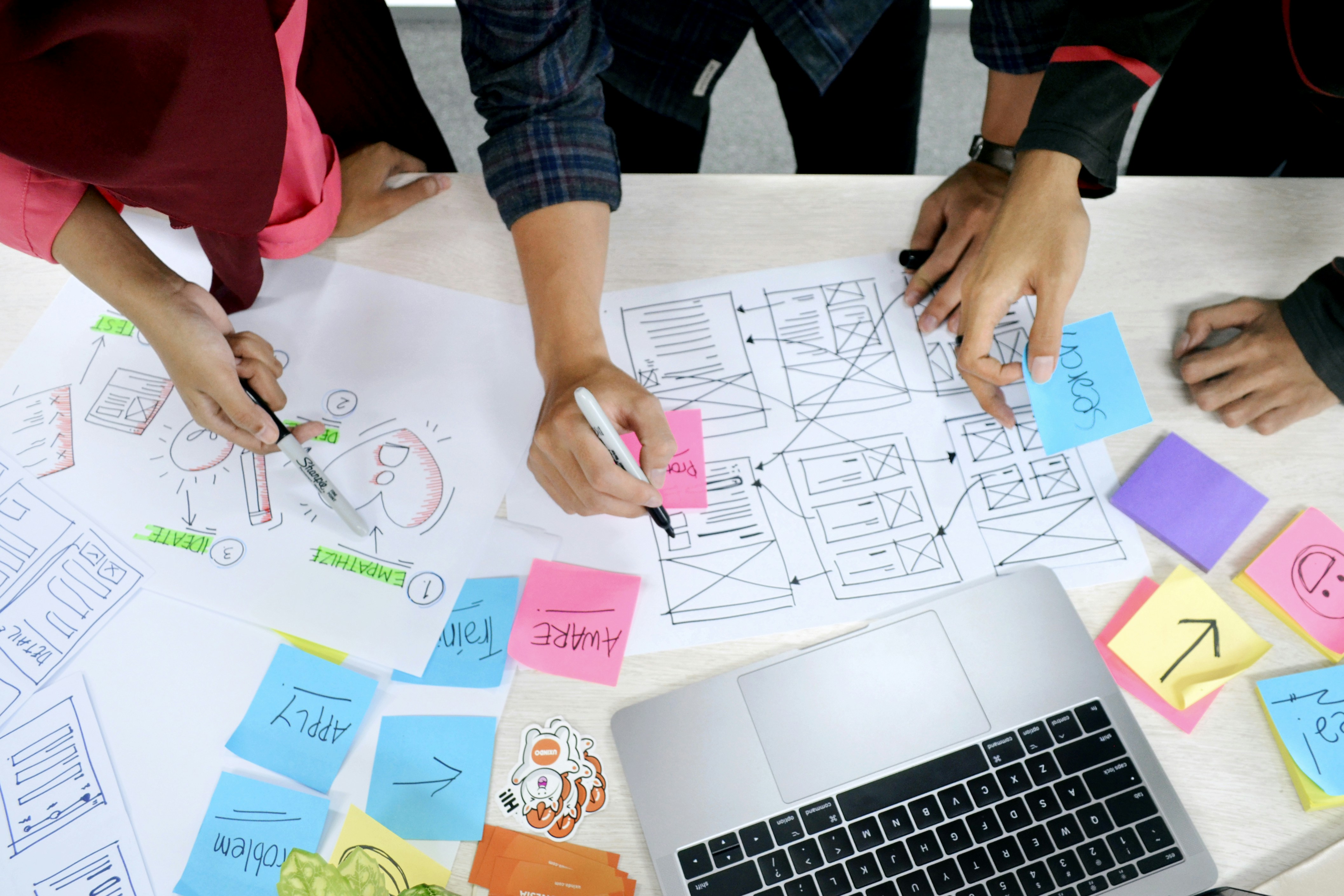
- Create wireframes (basic layout sketches)
- Develop visual designs
- Review and revise designs based on your feedback
- Development Phase:
- Build the website structure
- Implement functionality and features
- Integrate content management system (if applicable)
- Testing and Launch:
- Conduct thorough testing across different devices and browsers
- Make necessary adjustments
- Launch the website on your chosen domain
- Ongoing Maintenance and Updates:
- Regular backups and security updates
- Content updates and feature additions as needed
- Performance monitoring and optimization
Typical timescales for different approaches:
- Website Builder: 3 hours – 1 day
- WordPress Theme: 2 weeks
- Bespoke Website: 4-6 weeks
- E-commerce Website: 8-12 weeks
V. How to Choose the Right Web Design Solution for Your Budget
Selecting the right web design solution involves balancing your needs, budget, and long-term goals. Here are some steps to help you make the best decision:
- Assess Your Needs and Goals:
- What’s the primary purpose of your website?
- What features are essential for your business?
- How much ongoing maintenance will you need?
- Determine Your Budget:
- Consider both upfront and ongoing costs
- Factor in potential return on investment
- Evaluate Your Technical Skills and Time:
- Are you comfortable with technology?
- Do you have time to manage a DIY solution?
- Research and Compare Options:
- Look at examples of work from different providers
- Read reviews and ask for references
- Consider Scalability:
- Will your chosen solution be able to grow with your business?
- Don’t Forget About Support:
- What level of ongoing support will you need?
- Does the provider offer the support you require?
VI. Tips for Keeping Website Costs Down Without Sacrificing Quality
- Plan Your Content in Advance:
- Having your content ready can speed up the design process and reduce costs
- Prioritize Essential Features:
- Focus on must-have features first; you can always add more later
- Use Stock Photos and Templates:
- These can be cost-effective alternatives to custom photography and design
- Opt for a Simpler Design:
- A clean, minimalist design can be both effective and more affordable
- Consider a Phased Approach:
- Start with a basic site and add more complex features over time
- Learn Basic Maintenance Tasks:
- Handling simple updates yourself can reduce ongoing costs
- Choose a Scalable Platform:
- This allows your website to grow with your business without requiring a complete rebuild
VII. Case Study: Getting a Professional Website on a Tight Budget
[Insert a brief case study of a London-based small business that successfully created a professional website on a limited budget. Include their approach, challenges, and results.]
VIII. The Role of SEO in Affordable Web Design
Even with a limited budget, it’s crucial to consider Search Engine Optimization (SEO) in your web design process. Good SEO practices can help your website rank higher in search results, potentially bringing in more traffic and customers.
Key SEO considerations:
- Use relevant keywords in your content and meta tags
- Ensure your website is mobile-friendly
- Optimize page load speeds
- Create quality, valuable content for your visitors
- Use descriptive URLs and alt tags for images
While comprehensive SEO services can be expensive, implementing these basic practices during the design phase can give your website a strong foundation without significantly increasing costs.
IX. Conclusion
Creating a professional website in London doesn’t have to break the bank. By understanding your options, carefully considering your needs, and making informed decisions, you can get a website design you can afford that still meets your business goals.
Remember:
- There’s a solution for every budget, from DIY builders to professional agencies
- Consider both upfront and long-term costs
- Don’t sacrifice essential features or quality for the sake of saving money
- SEO should be a consideration from the start
- A well-designed website is an investment in your business’s future
Whether you choose to build your site yourself, work with a freelancer, or partner with an agency, the key is to have a clear vision of what you need and to choose a solution that offers the best value for your investment.
X. How Webawesome Can Help
At Webawesome, we understand the challenges of creating a professional website on a budget. Our team of experienced designers and developers specializes in delivering high-quality, affordable web solutions for businesses in London and beyond. We offer a range of services to suit different needs and budgets, from customized WordPress themes to fully bespoke websites.
Our approach focuses on understanding your unique business needs and providing cost-effective solutions that don’t compromise on quality or functionality. Whether you’re a startup looking for your first website or an established business needing a redesign, we’re here to help you navigate the web design process and create a site that truly represents your brand.
Contact us today to discuss how we can help you get a website that’s both affordable and awesome!